> For the complete documentation index, see [llms.txt](https://docs.goaffpro.com/llms.txt). Markdown versions of documentation pages are available by appending `.md` to page URLs; this page is available as [Markdown](https://docs.goaffpro.com/affiliate-commissions/advanced-settings/commission-for-recurring-payments.md).
# Commission for Recurring Payments
**GoAffPro** provides you with the option to give commission to affiliates on recurring payments made by customers.
{% hint style="info" %}
Once set up, affiliates will earn commissions on all future purchases of the referred customer. It is also known as lifetime commissions.
{% endhint %}
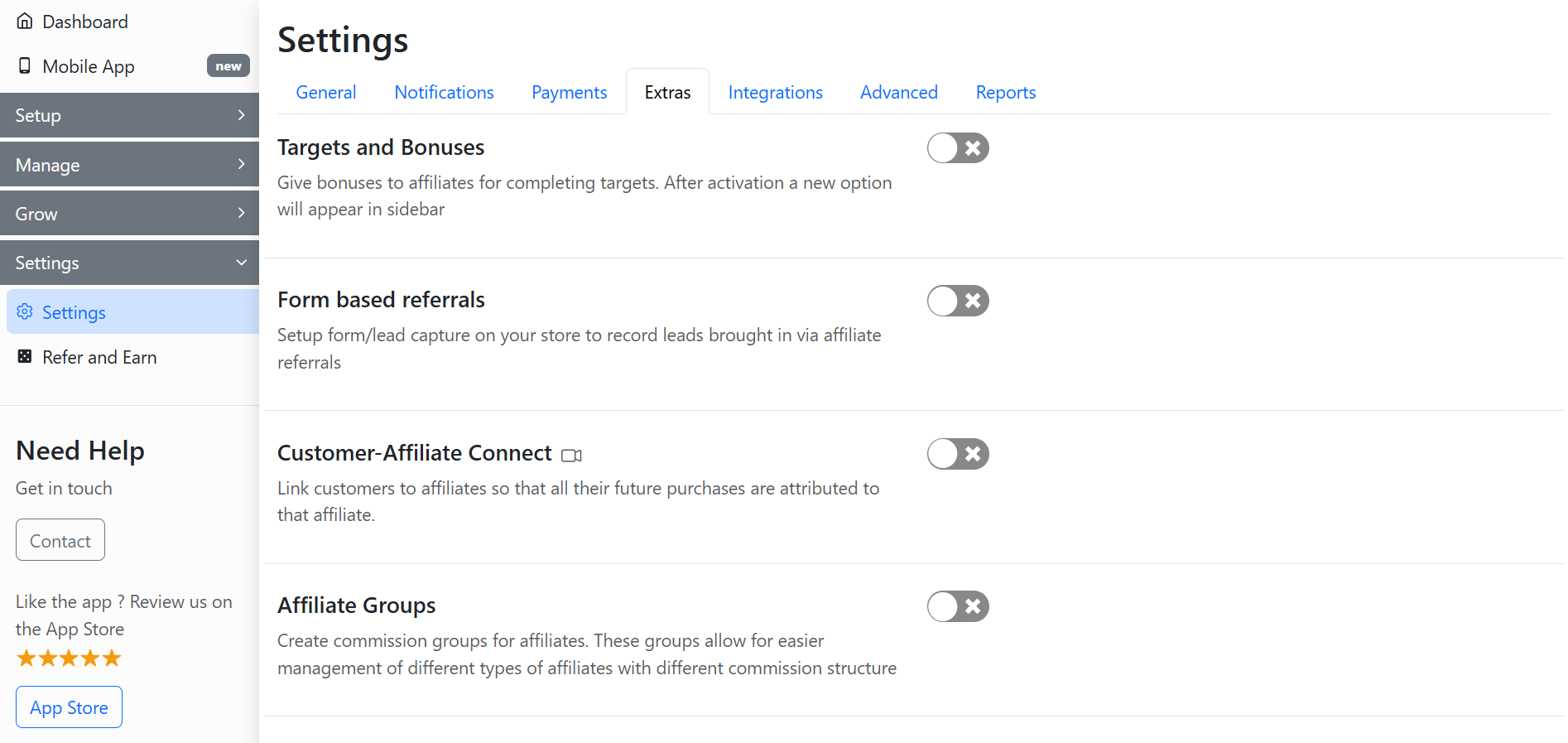
To give commission to affiliates on recurring payments, go to the **Extras** section in the **Settings** tab of the GoAffPro admin panel.
Settings > Extras
Here, go to the Customer-Affiliate Connect section.
Customer-Affiliate Connect
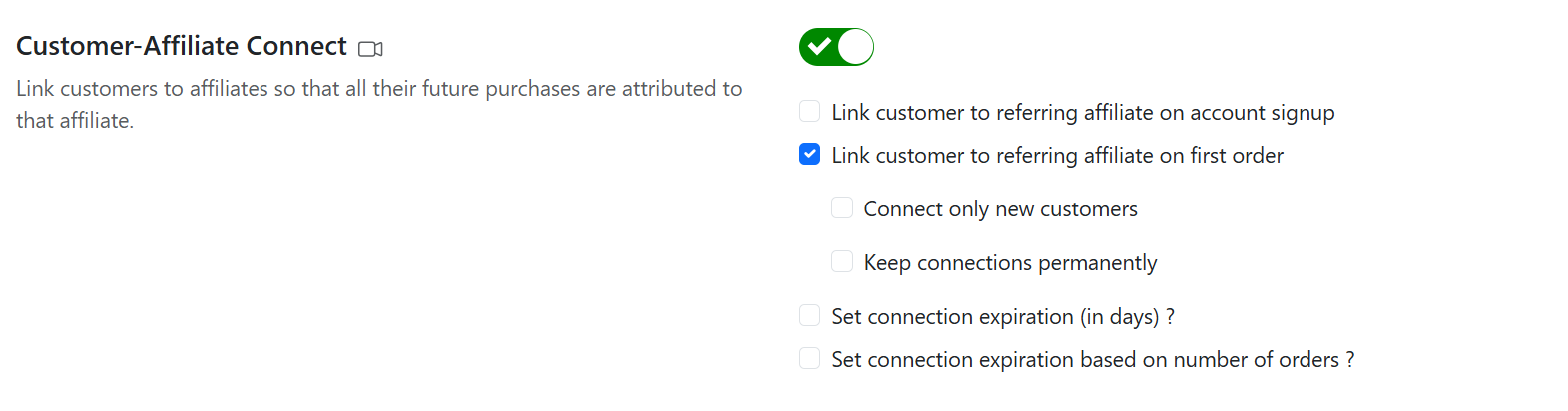
Now, enable the toggle.
Enable the toggle
After this, enable the "Link customer to referring affiliate on first order" option.
Enable the "Link customer to referring affiliate on first order" option
Finally, affiliates will earn the commission on any future payments made by the customer.
{% hint style="info" %}
You can also choose to connect only new customers with affiliates by enabling the "Connect only new customers" option.
{% endhint %}
{% embed url="" %}
Commission for Recurring Payments
{% endembed %}