Set Recurring Bonus for Group


Last updated
Was this helpful?
GoAffPro provides you with the option to set up a recurring bonus for the commission group.
To set up a recurring bonus for the commission group, go to the Recurring Bonus section in the Targets tab of the GoAffPro admin panel.

Here, click on Create new recurring bonus.

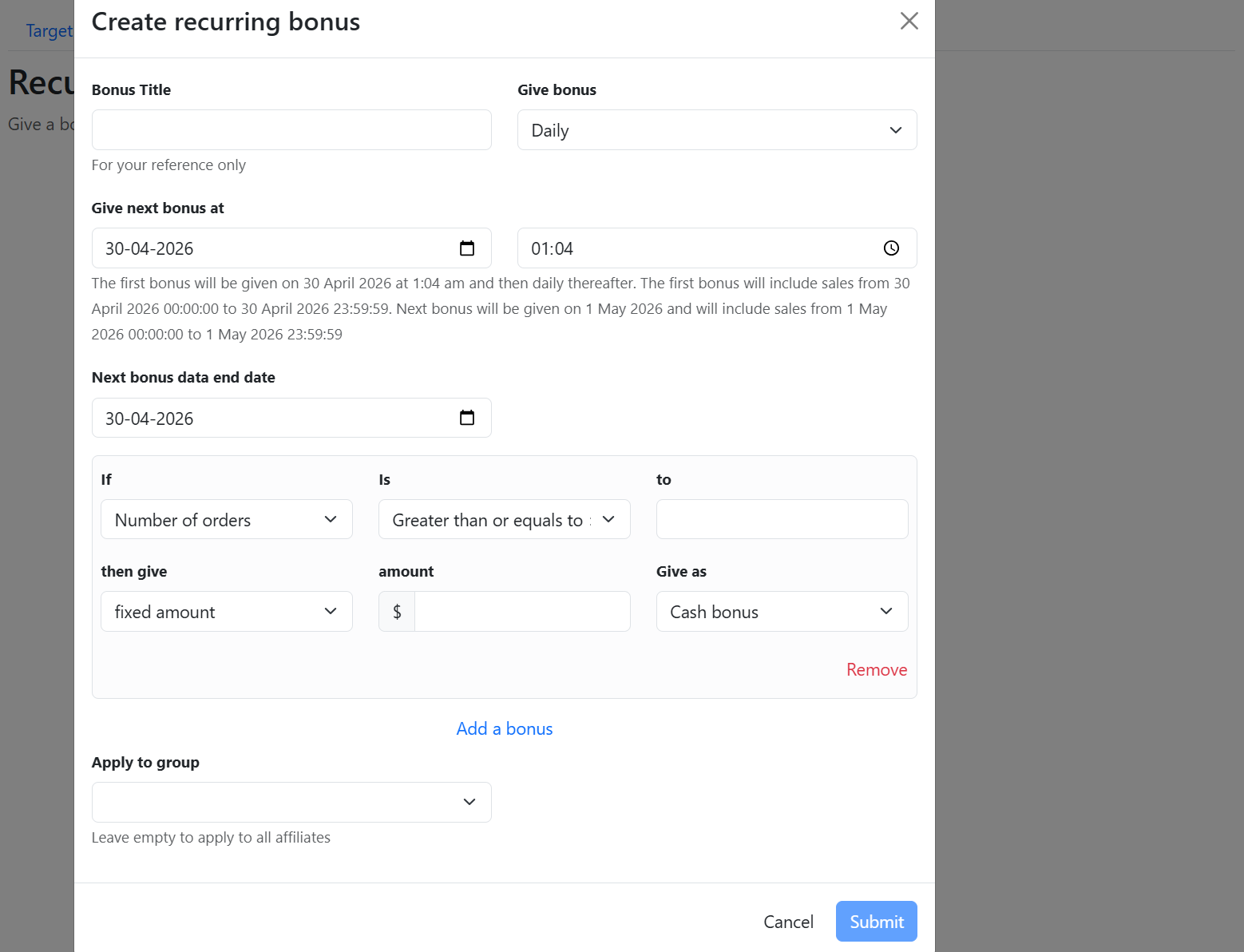
This will open up the Create recurring bonus window.

Here, set the bonus title.

Now, set when to give the bonus.
You have the option to give the bonus daily, weekly, monthly, or quarterly.

Next, set the date and time for the first bonus to be given.

You can also set the bonus data end date.

Now, select the parameters for the bonus.
You can select parameters such as Number of orders, Total sale value (subtotal), Total sale value (total), or Total Commission.

Next, set the bonus amount.
You can choose to set the bonus as either a fixed amount or a percentage.

You also have the option to choose how to give the bonus, either as a cash bonus or a discount coupon.

After this, select the commission group.

Finally, click on Submit.

The recurring bonus will be set for the group.

Last updated
Was this helpful?
Was this helpful?