> For the complete documentation index, see [llms.txt](https://docs.goaffpro.com/llms.txt). Markdown versions of documentation pages are available by appending `.md` to page URLs; this page is available as [Markdown](https://docs.goaffpro.com/affiliate-portal-customization/advanced-customization/enable-linkything-for-affiliates.md).
# Enable Linkything for Affiliates
**GoAffPro** provides you with the option to enable linkything for affiliates.
{% hint style="info" %}
Linkything.com is a link-in-bio tool that creates a shareable landing page hosting multiple links, which can be placed as a single URL in a social media profile's bio.
{% endhint %}
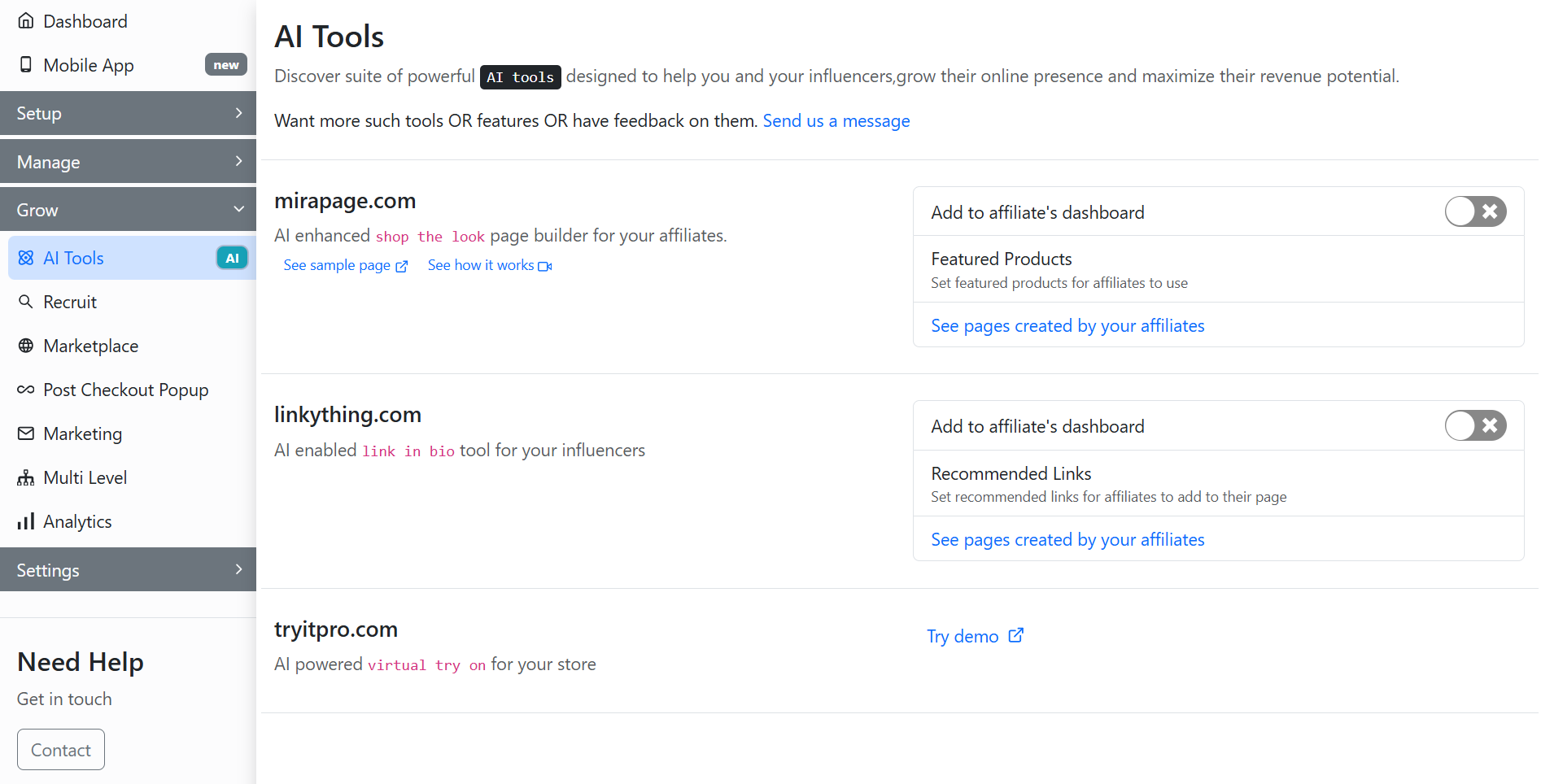
To enable linkything for affiliates, go to the **AI Tools** tab of the GoAffPro admin panel.
AI Tools
Here, go to the linkything.com section.
linkything.com
Now, enable the toggle.
Enable the toggle
After this, affiliates will have the ability to create link in bio pages from their dashboard.
{% hint style="info" %}
You can check this [guide](/getting-started-for-affiliates-1/getting-started-for-affiliates/create-linkything-page.md) on how affiliates can create the link in bio page from their dashboard.
{% endhint %}
Affiliates will be able to create link in bio pages
You also have the option to set up recommended links for affiliates to add to their link in bio page.
Set up recommended links
#### View Affiliate Link in Bio pages
To view the link in bio pages created by your affiliates, click on **See pages created by your affiliates**.
Click on See pages created by your affiliates
Here, you can view the link in bio pages created by your affiliates.
{% embed url="" %}
Enable Linkything for Affiliates
{% endembed %}