> For the complete documentation index, see [llms.txt](https://docs.goaffpro.com/llms.txt). Markdown versions of documentation pages are available by appending `.md` to page URLs; this page is available as [Markdown](https://docs.goaffpro.com/goaffpro/admin-panel/dashboard.md).
# Dashboard
GoAffPro Admin Panel > Dashboard
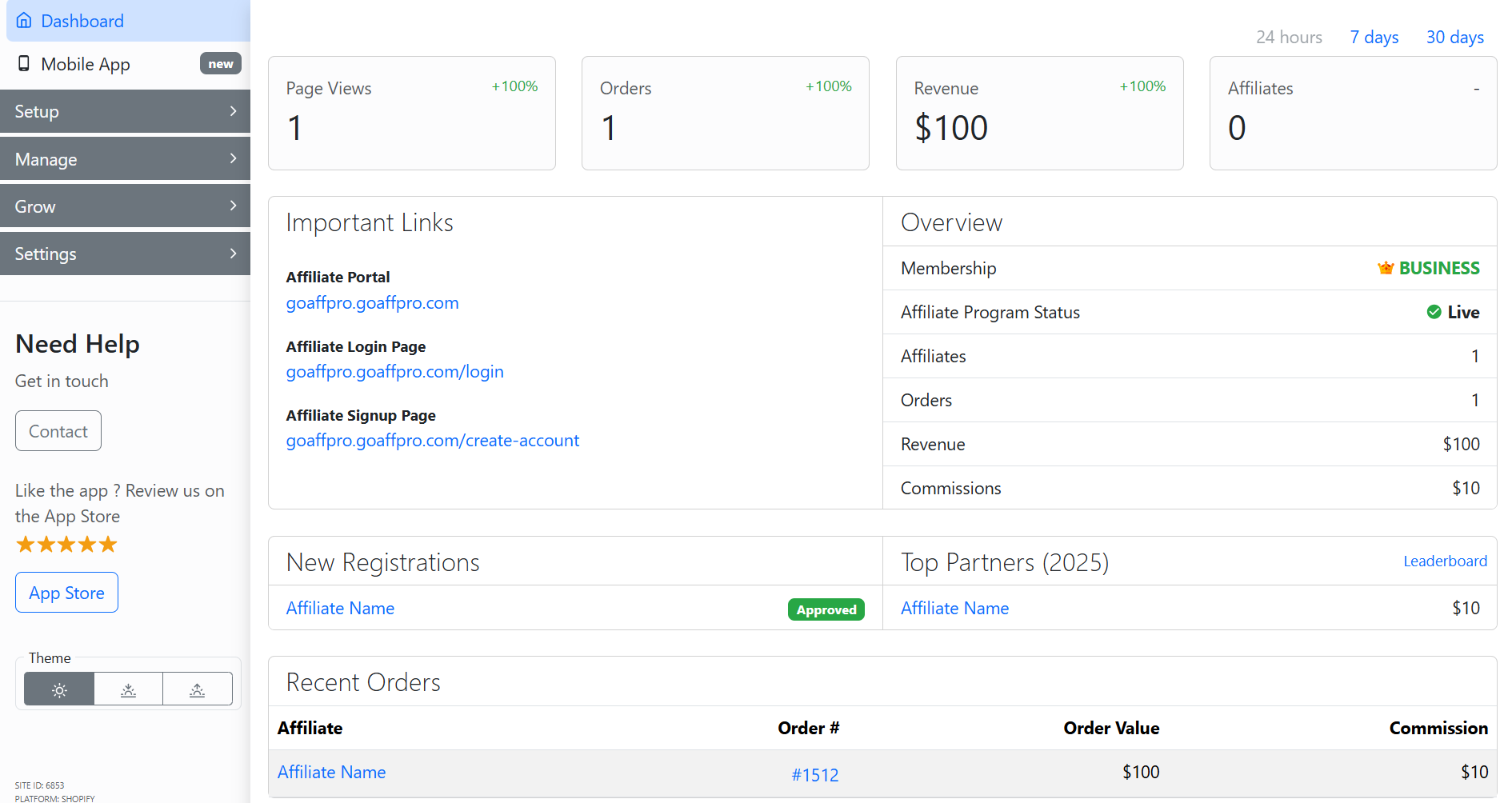
The **Dashboard tab** consists of all the important information about your affiliate program. It gives you a complete overview of the program and displays general statistics.
Dashboard
### The dashboard consists of:
### Statistics
* **Page Views:** This shows you the number of page visits made by customers using affiliate referrals.
* **Orders:** It shows you the number of orders referred by affiliates.
* **Revenue:** This is the sales revenue from the orders that have been referred by affiliates.
* **Affiliates:** This shows you the number of affiliates that are enrolled in your affiliate program.
Statistics
### **Important Links**
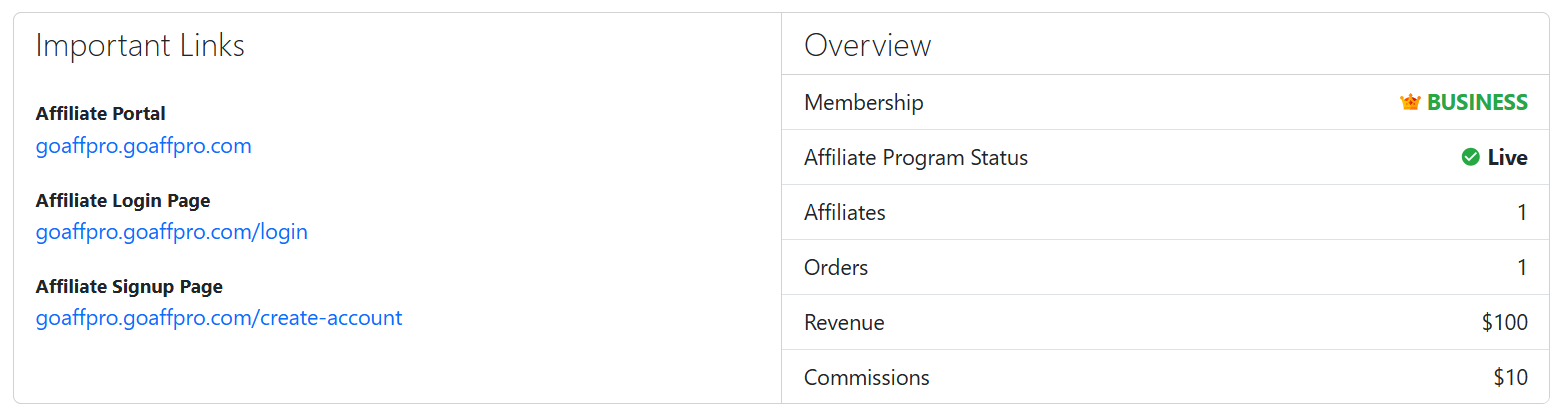
* **Affiliate Portal:** This is the link to the affiliate portal, where people can visit to learn more about the program and register.
* **Affiliate Login Page:** This is the link that affiliates will use to log in to their affiliate account.
* **Affiliate Signup Page:** This is the link that people will use to register as affiliates in the program.
### **Overview**
* **Membership:** It shows the pricing plan you are subscribed to currently.
* **Affiliate Program Status:** This shows the status of your affiliate program. If it is live, then visits and orders are getting tracked.
* **Affiliates:** It shows you the number of affiliates registered in your program.
* **Orders:** It shows you the number of orders that have been referred by affiliates.
* **Revenues:** It is the sales revenue of the orders that have been referred by affiliates.
* **Commissions:** It is the commission that has been earned by the affiliates.
Important Links & Overview
### **New Registrations**
This shows the new affiliates who most recently registered in your program.
New Registrations & Top Partners
### **Recent Orders**
It shows you the most recent orders that have been referred by affiliates.
Recent Orders
{% embed url="" %}
View Program Dashboard
{% endembed %}