> For the complete documentation index, see [llms.txt](https://docs.goaffpro.com/llms.txt). Markdown versions of documentation pages are available by appending `.md` to page URLs; this page is available as [Markdown](https://docs.goaffpro.com/program-management/manage-affiliates/view-an-affiliates-profile/trigger-store-sync-for-affiliate.md).
# Trigger Store Sync for Affiliate
**GoAffPro** provides you with the option to trigger store sync for the affiliate.
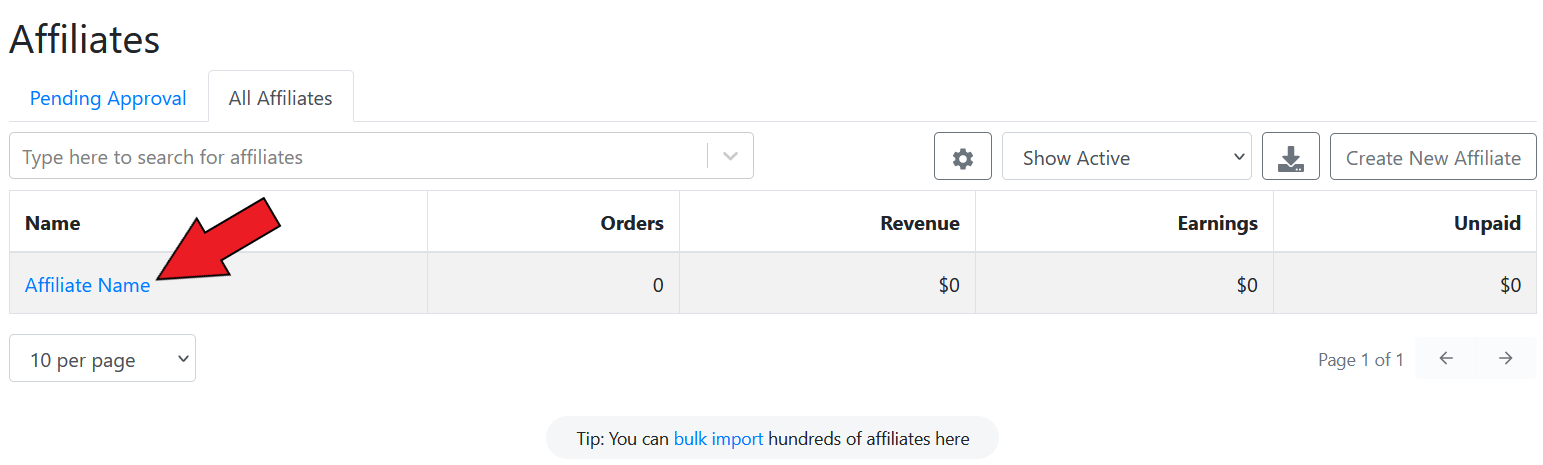
To trigger store sync for the affiliate, go to the **All Affiliates** section in the **Affiliates** tab of the GoAffPro admin panel.
Affiliates > All Affiliates
Here, click on the affiliate's name.
Click on the affiliate's name
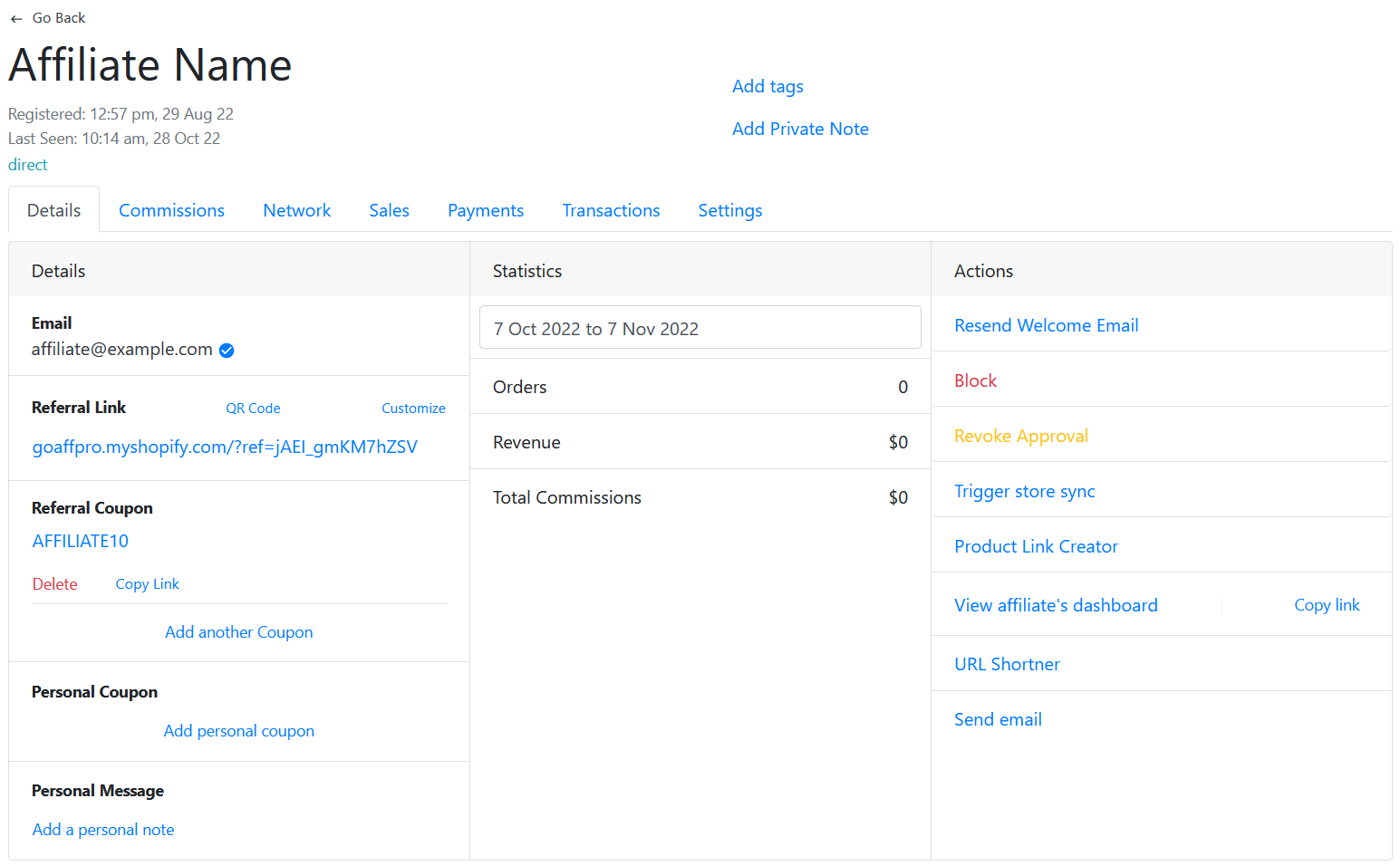
This will open up the affiliate's profile.
Affiliate's profile
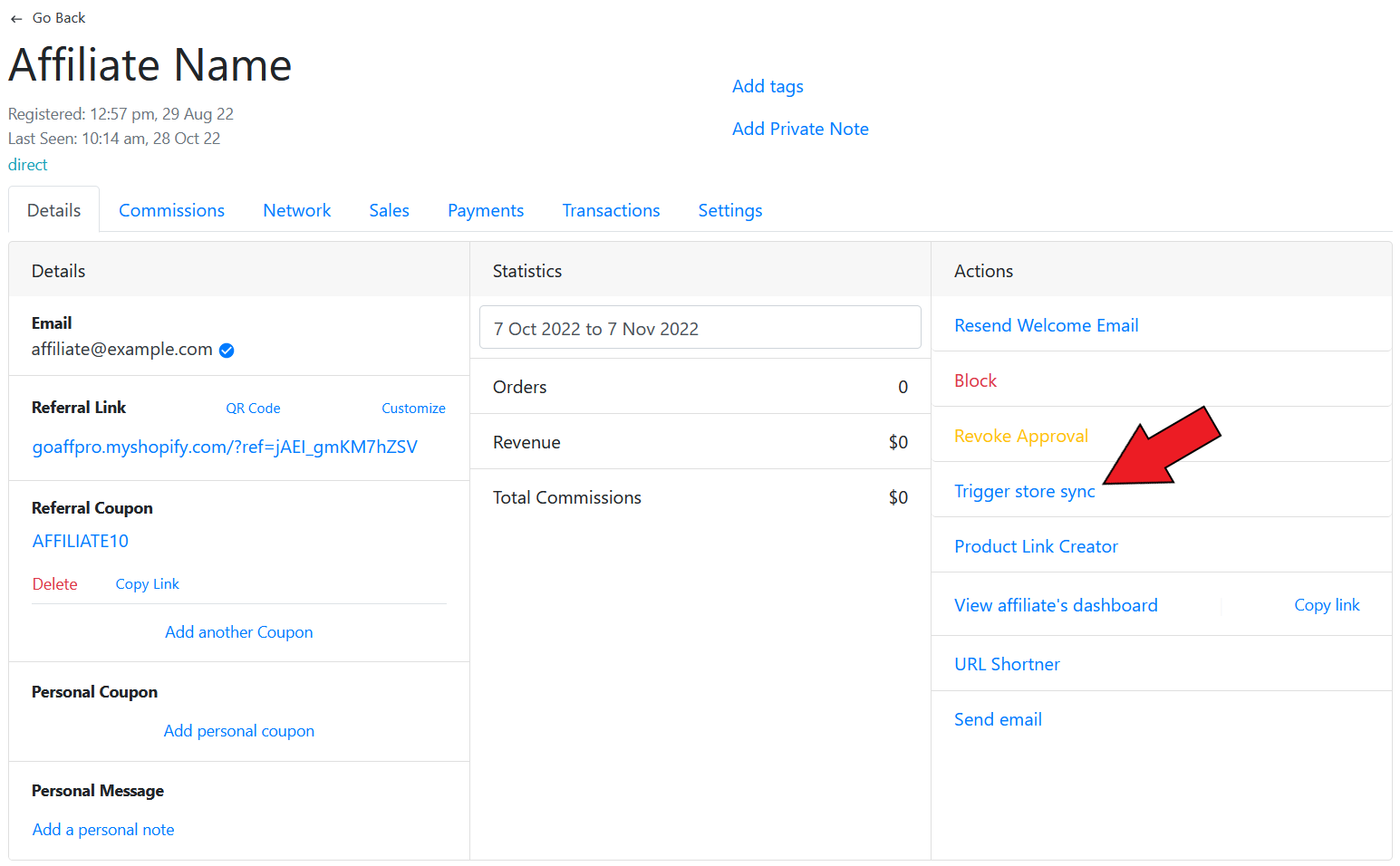
Here, click on **Trigger store sync**.
{% hint style="info" %}
This option will appear if you have the Account Sync feature enabled from the Settings > Integrations section.
{% endhint %}
Click on Trigger store sync
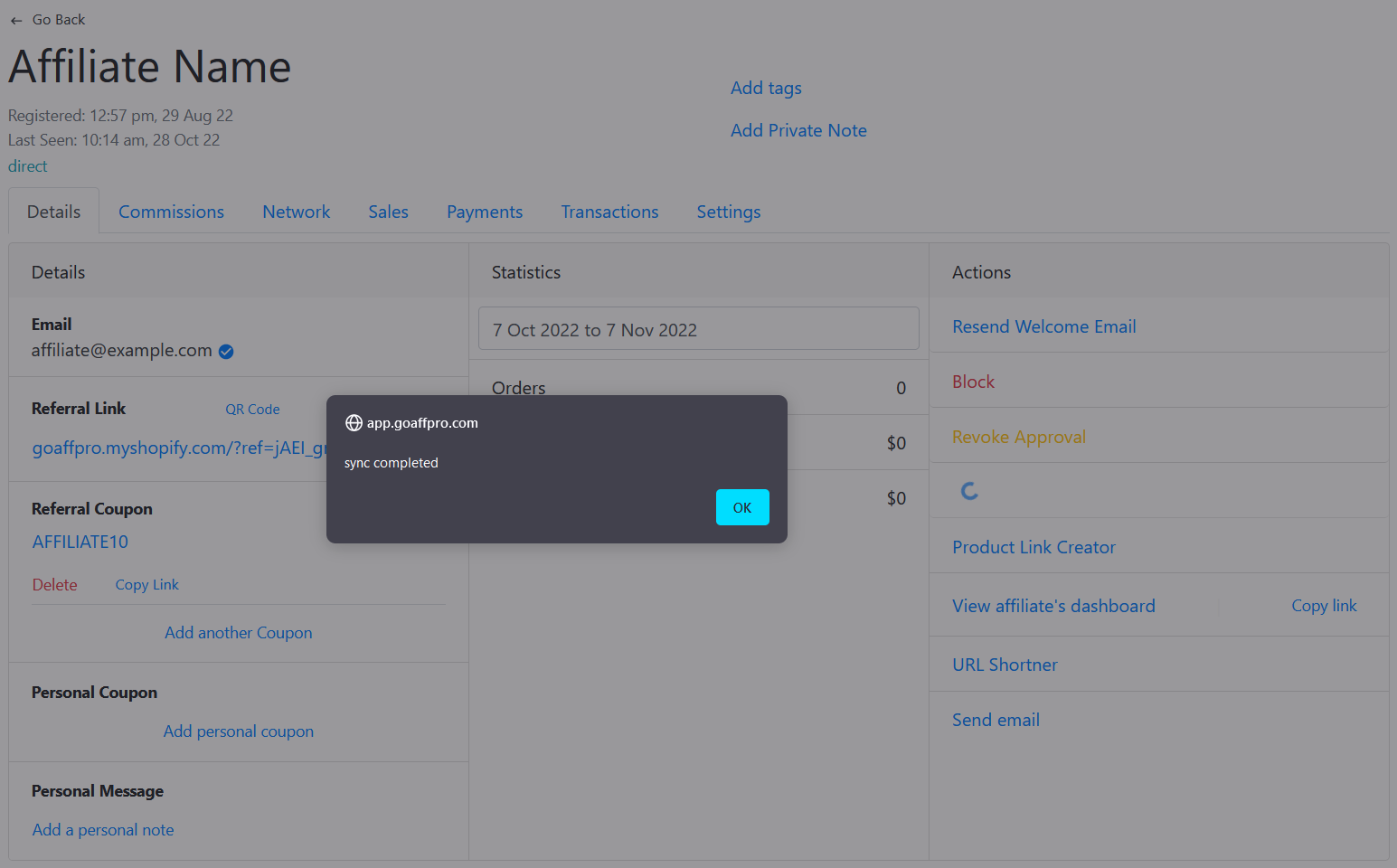
After this, the affiliate account with get synced in the store.
{% embed url="" %}
Trigger Store Sync for Affiliate
{% endembed %}