# Add Article for Affiliates

**GoAffPro** provides you with the option to add articles for affiliates.&#x20;

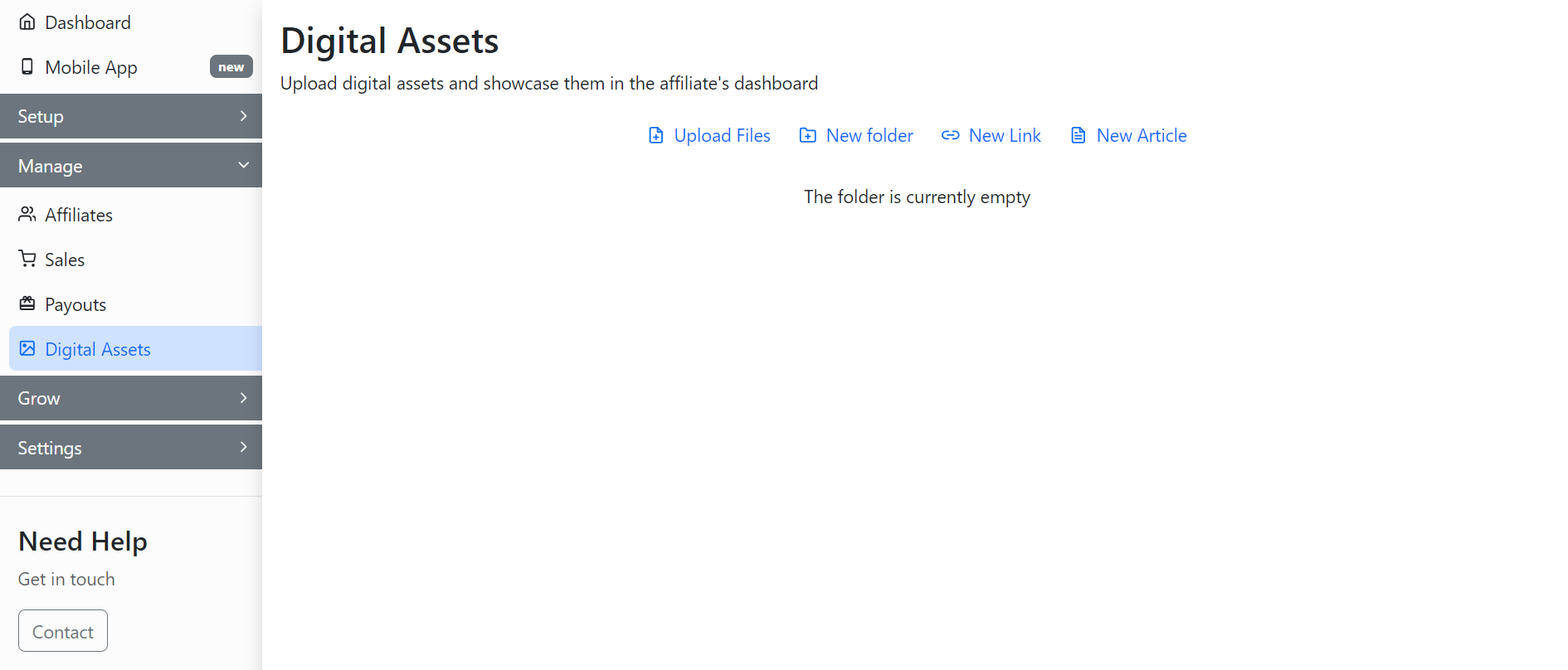
To add articles for affiliates, go to the **Digital Assets** tab in the GoAffPro admin panel.

<figure><img src="https://1200686697-files.gitbook.io/~/files/v0/b/gitbook-x-prod.appspot.com/o/spaces%2F-LdPzLtyP46oY7cyXnkw%2Fuploads%2FqIpaHZQ6uyKPyKKYg3AE%2Fimage.png?alt=media&#x26;token=2ba777f1-b31e-424b-a91e-5b2ca6c16228" alt=""><figcaption><p>Digital Assets</p></figcaption></figure>

Here, click on **New Article**.

<figure><img src="https://1200686697-files.gitbook.io/~/files/v0/b/gitbook-x-prod.appspot.com/o/spaces%2F-LdPzLtyP46oY7cyXnkw%2Fuploads%2FuV4dzm1vZXaihrUAGkAQ%2FScreenshot%202024-06-10%20164412.png?alt=media&#x26;token=76a2761a-8bd0-4201-8926-75c320b96b96" alt=""><figcaption><p>Click on New Article</p></figcaption></figure>

This will open up the New Article section.

<figure><img src="https://1200686697-files.gitbook.io/~/files/v0/b/gitbook-x-prod.appspot.com/o/spaces%2F-LdPzLtyP46oY7cyXnkw%2Fuploads%2Fku7Jgt4fXnkzcEYOvicf%2Fimage.png?alt=media&#x26;token=35228b83-aa4a-4aaa-ba2d-bab286455b99" alt=""><figcaption><p>New Article<br></p></figcaption></figure>

Here, set the title and sub-title for the article.

<figure><img src="https://1200686697-files.gitbook.io/~/files/v0/b/gitbook-x-prod.appspot.com/o/spaces%2F-LdPzLtyP46oY7cyXnkw%2Fuploads%2FcI7EXyUsNVHiy0jZ71X5%2FScreenshot%202024-06-10%20164449.png?alt=media&#x26;token=64aab86c-3b48-4142-b3fa-dbd2ad9ac565" alt=""><figcaption><p>Set the title and sub-title </p></figcaption></figure>

Next, upload a banner.&#x20;

<figure><img src="https://1200686697-files.gitbook.io/~/files/v0/b/gitbook-x-prod.appspot.com/o/spaces%2F-LdPzLtyP46oY7cyXnkw%2Fuploads%2F7nGQH0DwyhDprtqIE2Ek%2FScreenshot%202024-06-10%201642606.png?alt=media&#x26;token=930d430f-d763-48b1-8631-75b7e498a61b" alt=""><figcaption><p>Upload a banner</p></figcaption></figure>

Now, add the blog content.&#x20;

<figure><img src="https://1200686697-files.gitbook.io/~/files/v0/b/gitbook-x-prod.appspot.com/o/spaces%2F-LdPzLtyP46oY7cyXnkw%2Fuploads%2FMSnHmWOTKTlItwDIjpOk%2FScreenshot%202024-06-10%20164704.png?alt=media&#x26;token=7445724c-c657-4b72-9f57-876e361e0c8a" alt=""><figcaption><p>Add the blog content</p></figcaption></figure>

After this, click on **Submit**.

<figure><img src="https://1200686697-files.gitbook.io/~/files/v0/b/gitbook-x-prod.appspot.com/o/spaces%2F-LdPzLtyP46oY7cyXnkw%2Fuploads%2FwmZq4wxIW7HcQuSJJC2w%2FScreenshot%202024-06-10%20164739.png?alt=media&#x26;token=1033008a-0731-4cf6-b2d7-dffc63ba8c4e" alt=""><figcaption><p>Click on Submit</p></figcaption></figure>

Finally, the article will appear in the Digital Assets section.&#x20;

<figure><img src="https://1200686697-files.gitbook.io/~/files/v0/b/gitbook-x-prod.appspot.com/o/spaces%2F-LdPzLtyP46oY7cyXnkw%2Fuploads%2FiLi3diLNw3TzKm99NRAE%2FScreenshot%202024-06-10%20164757.png?alt=media&#x26;token=83b37315-8e92-4ddf-a243-6fe411216caf" alt=""><figcaption><p>Digital Asset</p></figcaption></figure>

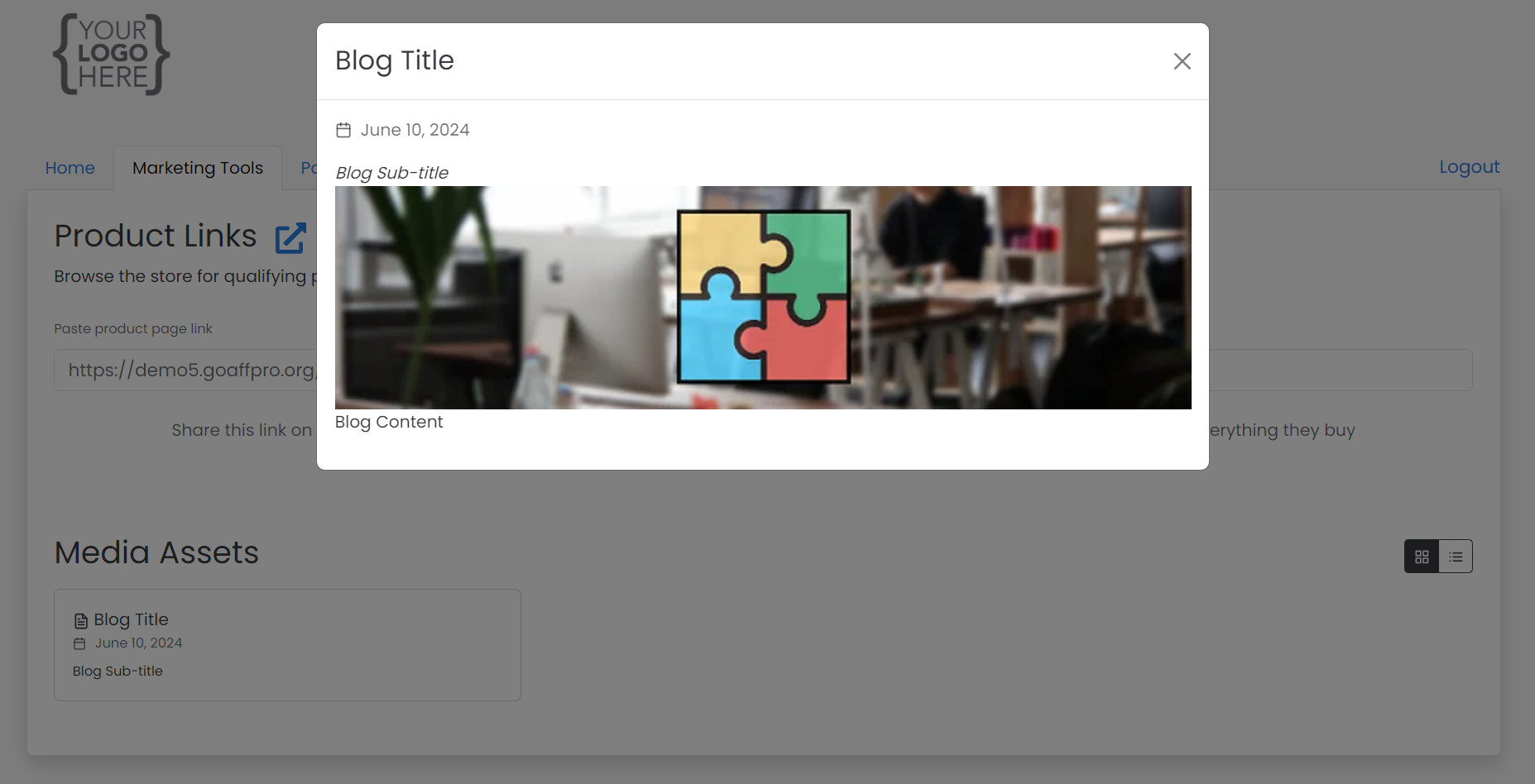
The article will be displayed to affiliates in their dashboard in the Marketing Tools section.&#x20;

<figure><img src="https://1200686697-files.gitbook.io/~/files/v0/b/gitbook-x-prod.appspot.com/o/spaces%2F-LdPzLtyP46oY7cyXnkw%2Fuploads%2FArmIEIWBJs46nw10ucCV%2FScreenshot%202024-06-10%20164823.png?alt=media&#x26;token=bfd68225-1851-4bf1-b226-9998111cb3b5" alt=""><figcaption><p>Affiliate Dashboard > Marketing Tools > Media Assets</p></figcaption></figure>

The affiliate can click on the article to view it.&#x20;

<figure><img src="https://1200686697-files.gitbook.io/~/files/v0/b/gitbook-x-prod.appspot.com/o/spaces%2F-LdPzLtyP46oY7cyXnkw%2Fuploads%2FcMzQB0nkyVJebGlfujoW%2Fimage.png?alt=media&#x26;token=ab1348c7-1ac0-4335-aed9-ec2e933beb56" alt=""><figcaption></figcaption></figure>

{% embed url="<https://youtu.be/9z5HdKqJPgg>" %}
Add Article for Affiliates
{% endembed %}