> For the complete documentation index, see [llms.txt](https://docs.goaffpro.com/llms.txt). Markdown versions of documentation pages are available by appending `.md` to page URLs; this page is available as [Markdown](https://docs.goaffpro.com/program-settings/referral-link-configuration/enable-multiple-referral-codes-for-affiliates.md). Agents can also search and read this documentation through its [MCP server](https://docs.goaffpro.com/~gitbook/mcp).

# Enable Multiple Referral Codes for Affiliates

**GoAffPro** provides you with the option to allow affiliates to have multiple referral codes.&#x20;

{% hint style="info" %}
With the multiple referral codes feature, affiliates can create and manage multiple unique referral codes for their referral links. This functionality enables them to generate several distinct referral links and integrate them into their promotional activities.
{% endhint %}

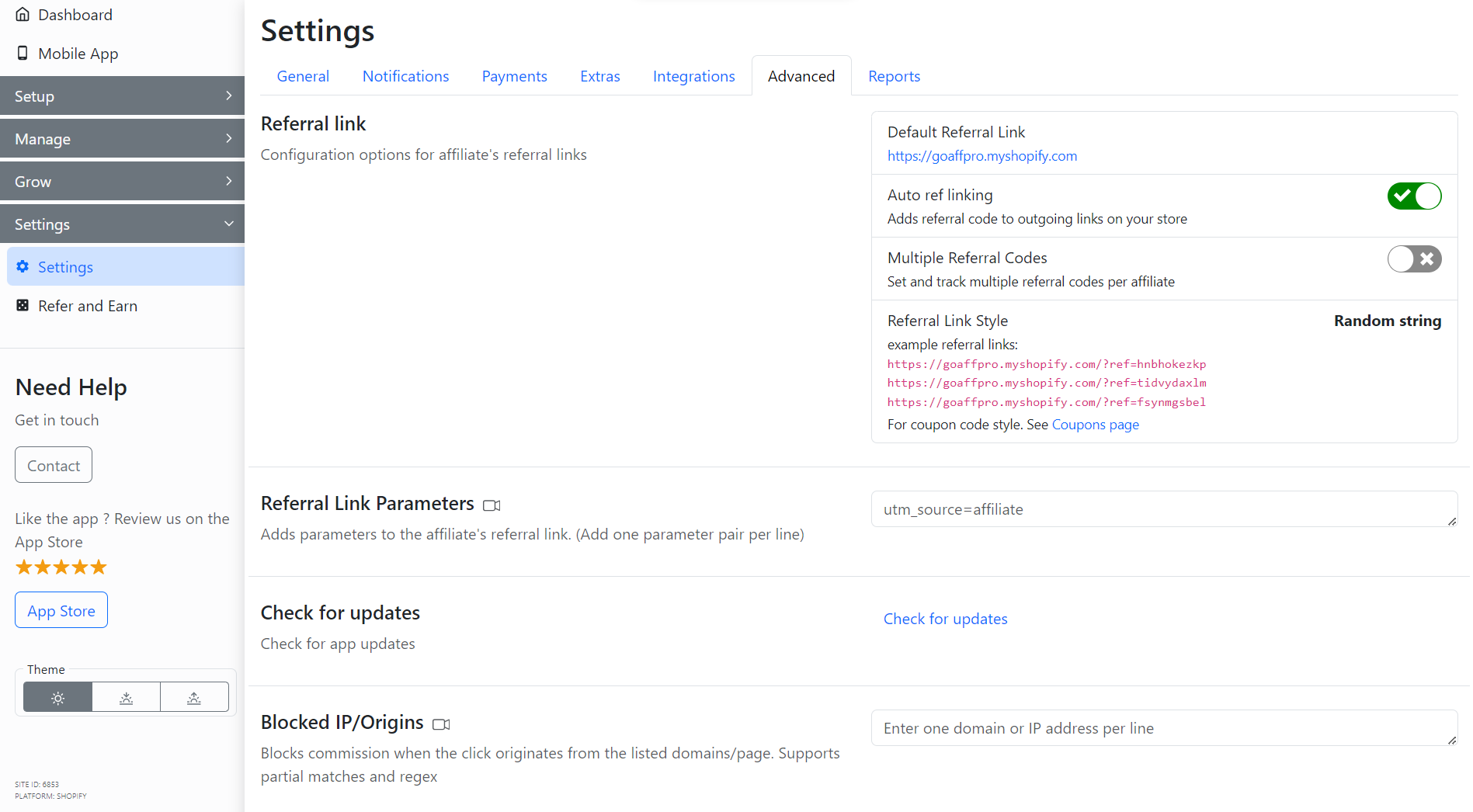
To allow affiliates to have multiple referral codes, go to the **Advanced** section of the **Settings** tab in the GoAffPro admin panel.

<figure><img src="https://1200686697-files.gitbook.io/~/files/v0/b/gitbook-x-prod.appspot.com/o/spaces%2F-LdPzLtyP46oY7cyXnkw%2Fuploads%2FJClQ6lH52bgie9ftmEKm%2Fimage.png?alt=media&amp;token=0be4b45b-2739-481c-9df6-080b853442eb" alt=""><figcaption><p>Settings > Advanced</p></figcaption></figure>

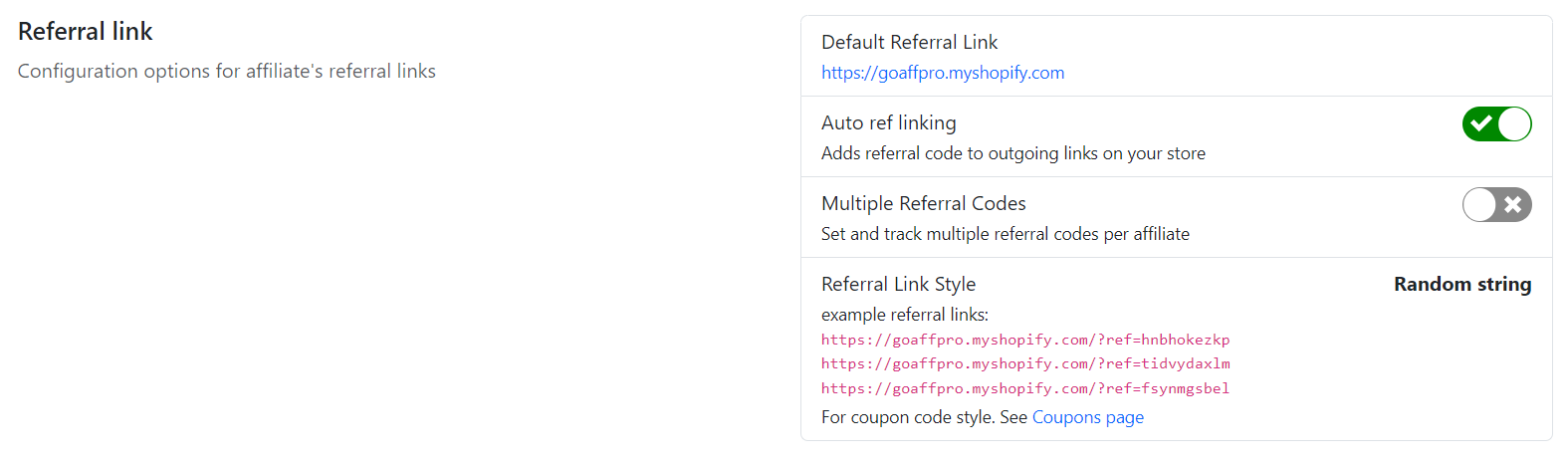
Now, go to the Referral link section.

<figure><img src="https://1200686697-files.gitbook.io/~/files/v0/b/gitbook-x-prod.appspot.com/o/spaces%2F-LdPzLtyP46oY7cyXnkw%2Fuploads%2FdnfA77JEcGS0OxPOzJjW%2Fimage.png?alt=media&amp;token=be13f9a7-7aa0-4a0b-8605-5937277f4b72" alt=""><figcaption><p>Referral link</p></figcaption></figure>

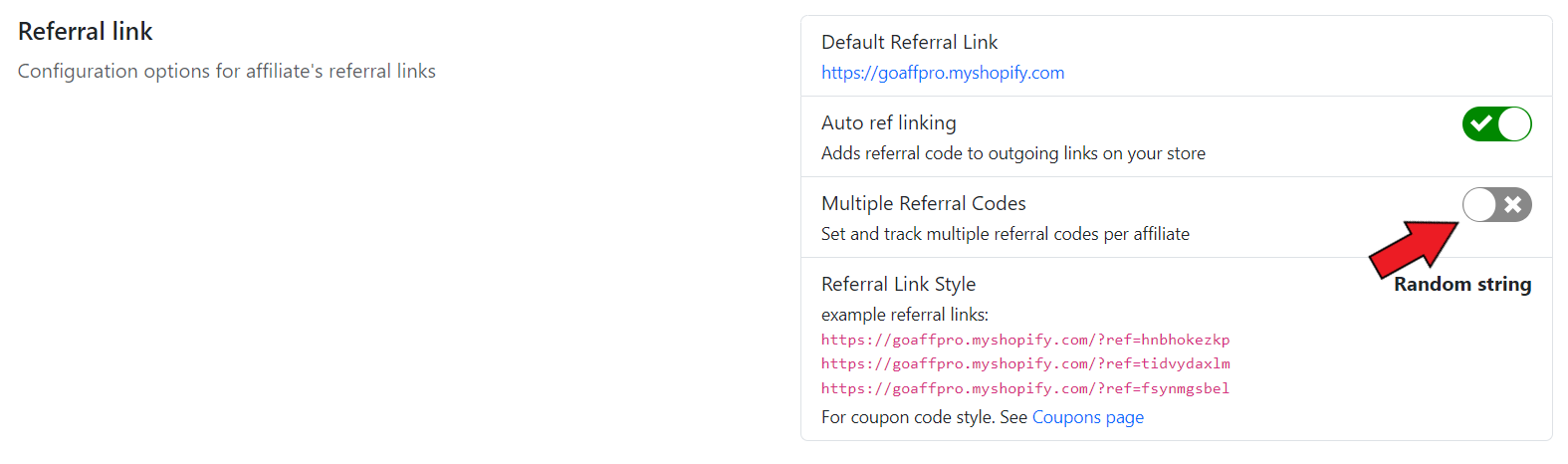
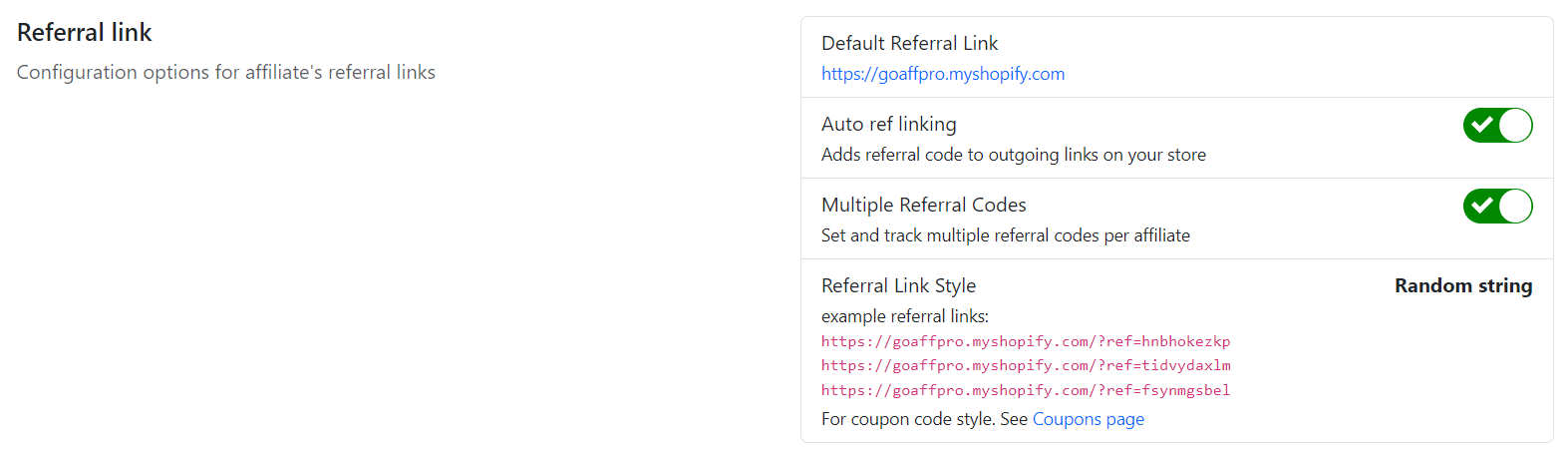
Here, in the Multiple Referral Codes option, enable the toggle.

<figure><img src="https://1200686697-files.gitbook.io/~/files/v0/b/gitbook-x-prod.appspot.com/o/spaces%2F-LdPzLtyP46oY7cyXnkw%2Fuploads%2FBpjlPRBQmYXFJV18S7Bp%2FScreenshot%202024-01-23%20115040.png?alt=media&amp;token=d978fe88-abc6-47e8-b85a-a969df6dfb4e" alt=""><figcaption><p>Enable the toggle</p></figcaption></figure>

After this, affiliates will be able to have multiple referral codes.

{% hint style="info" %}
This option allows affiliates to have up to 10 referral codes.&#x20;
{% endhint %}

<figure><img src="https://1200686697-files.gitbook.io/~/files/v0/b/gitbook-x-prod.appspot.com/o/spaces%2F-LdPzLtyP46oY7cyXnkw%2Fuploads%2FhoZjzO3cnHwuZGhJYHm1%2Fimage.png?alt=media&amp;token=5b2dfc7f-5af2-4c17-b135-8552c16d8037" alt=""><figcaption></figcaption></figure>

<details>

<summary>Setup Multiple Referral Codes</summary>

#### To set up multiple referral codes for affiliates as a merchant:

Go to the affiliate's profile settings.

<figure><img src="https://1200686697-files.gitbook.io/~/files/v0/b/gitbook-x-prod.appspot.com/o/spaces%2F-LdPzLtyP46oY7cyXnkw%2Fuploads%2FdbLgwSQprW9aCJIZ3xE2%2Fimage.png?alt=media&amp;token=49a8129a-5717-42e9-a780-6b2c70b84a3d" alt=""><figcaption><p>Affiliates > All Affiliates > Click on the Affiliate's name > Settings</p></figcaption></figure>

In the Referral Code section, the referral codes for the affiliate (one referral code per line).

<figure><img src="https://1200686697-files.gitbook.io/~/files/v0/b/gitbook-x-prod.appspot.com/o/spaces%2F-LdPzLtyP46oY7cyXnkw%2Fuploads%2FsnJznt7gmVZIEzZE2BDR%2Fimage.png?alt=media&amp;token=2122044a-482b-4cfa-994c-1cf4660add46" alt=""><figcaption><p>Enter the referral codes</p></figcaption></figure>

Now, click on **Submit**.

<figure><img src="https://1200686697-files.gitbook.io/~/files/v0/b/gitbook-x-prod.appspot.com/o/spaces%2F-LdPzLtyP46oY7cyXnkw%2Fuploads%2FhD38vmT0eO4udIJ7yBPv%2Fimage.png?alt=media&amp;token=ecce45e1-2c53-40c3-bf7d-c81be4f31681" alt=""><figcaption><p>Click on Submit</p></figcaption></figure>

{% embed url="<https://youtu.be/Rwit2cT1h6Y?si=LCSP_mZbhnRR_JwX>" %}

#### To set up multiple referral codes as an affiliate:

Go to the **Settings** section in the affiliate dashboard.

<figure><img src="https://1200686697-files.gitbook.io/~/files/v0/b/gitbook-x-prod.appspot.com/o/spaces%2F-LdPzLtyP46oY7cyXnkw%2Fuploads%2FrMyw1y6tVgSXwi1lyex5%2Fimage.png?alt=media&amp;token=c8c177c0-1a48-4a1f-97c9-a5d2a309d082" alt=""><figcaption><p>Affiliate Dashboard > Settings</p></figcaption></figure>

Here, click on **Change** in the Referral Code section.

<figure><img src="https://1200686697-files.gitbook.io/~/files/v0/b/gitbook-x-prod.appspot.com/o/spaces%2F-LdPzLtyP46oY7cyXnkw%2Fuploads%2FefVZ2skZwvuUNgccPE9G%2Fimage.png?alt=media&amp;token=e07e29a4-da59-4fed-adf2-147e553f002d" alt=""><figcaption><p>Click on Change</p></figcaption></figure>

After this, enter the referral codes (one referral code per line).

<figure><img src="https://1200686697-files.gitbook.io/~/files/v0/b/gitbook-x-prod.appspot.com/o/spaces%2F-LdPzLtyP46oY7cyXnkw%2Fuploads%2FLkggq0noU8MFQKzLCGIg%2Fimage.png?alt=media&amp;token=be052ec4-a621-4b95-81fd-e7aed5e71355" alt=""><figcaption><p>Enter the referral codes</p></figcaption></figure>

Finally, click on **Save Changes**.

<figure><img src="https://1200686697-files.gitbook.io/~/files/v0/b/gitbook-x-prod.appspot.com/o/spaces%2F-LdPzLtyP46oY7cyXnkw%2Fuploads%2FiK0NgriopGikEgnHWhak%2Fimage.png?alt=media&amp;token=9c36bda5-1cfa-4bf1-a4ef-da5ec5c019f2" alt=""><figcaption><p>Click on Save Changes</p></figcaption></figure>

{% embed url="<https://youtu.be/_OQFPjMfwBM?si=fIOx4zXEVVE3Ai6t>" %}

</details>

{% embed url="<https://youtu.be/QE3RpVl5QfM>" %}
Enable Multiple Referral Codes for Affiliates
{% endembed %}