> For the complete documentation index, see [llms.txt](https://docs.goaffpro.com/llms.txt). Markdown versions of documentation pages are available by appending `.md` to page URLs; this page is available as [Markdown](https://docs.goaffpro.com/program-settings/setup-referred-sales-settings/disable-commission-for-self-referral.md).
# Disable Commission for Self Referral
Disable commission on personal purchases
**GoAffPro** provides you with the option to disable the affiliate commission for self-referral.
{% hint style="info" %}
The disable commission for self referral option prevents affiliates from earning commissions on the self/personal purchases, they make in your store.
{% endhint %}
To disable the affiliate commission for self-referral, go to the **General** section in the **Settings** tab of the GoAffPro admin panel.
Settings > General
Here, go to the Sales section.
Sales
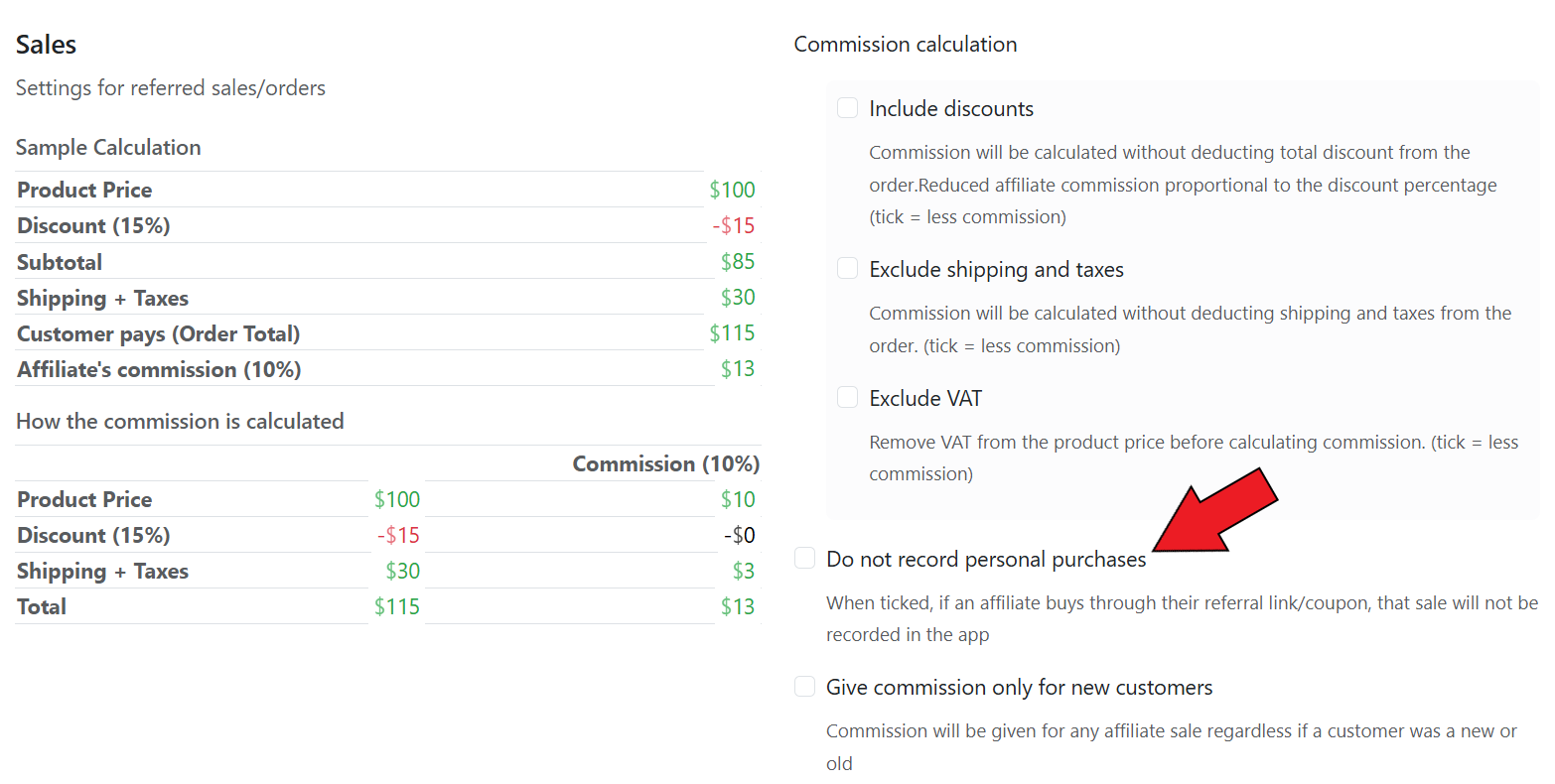
Now, enable the "**Do not record personal purchases**" option.
{% hint style="info" %}
If enabled, affiliates will not receive the commission for personal purchases they make in your store.
{% endhint %}
Do not record personal purchases
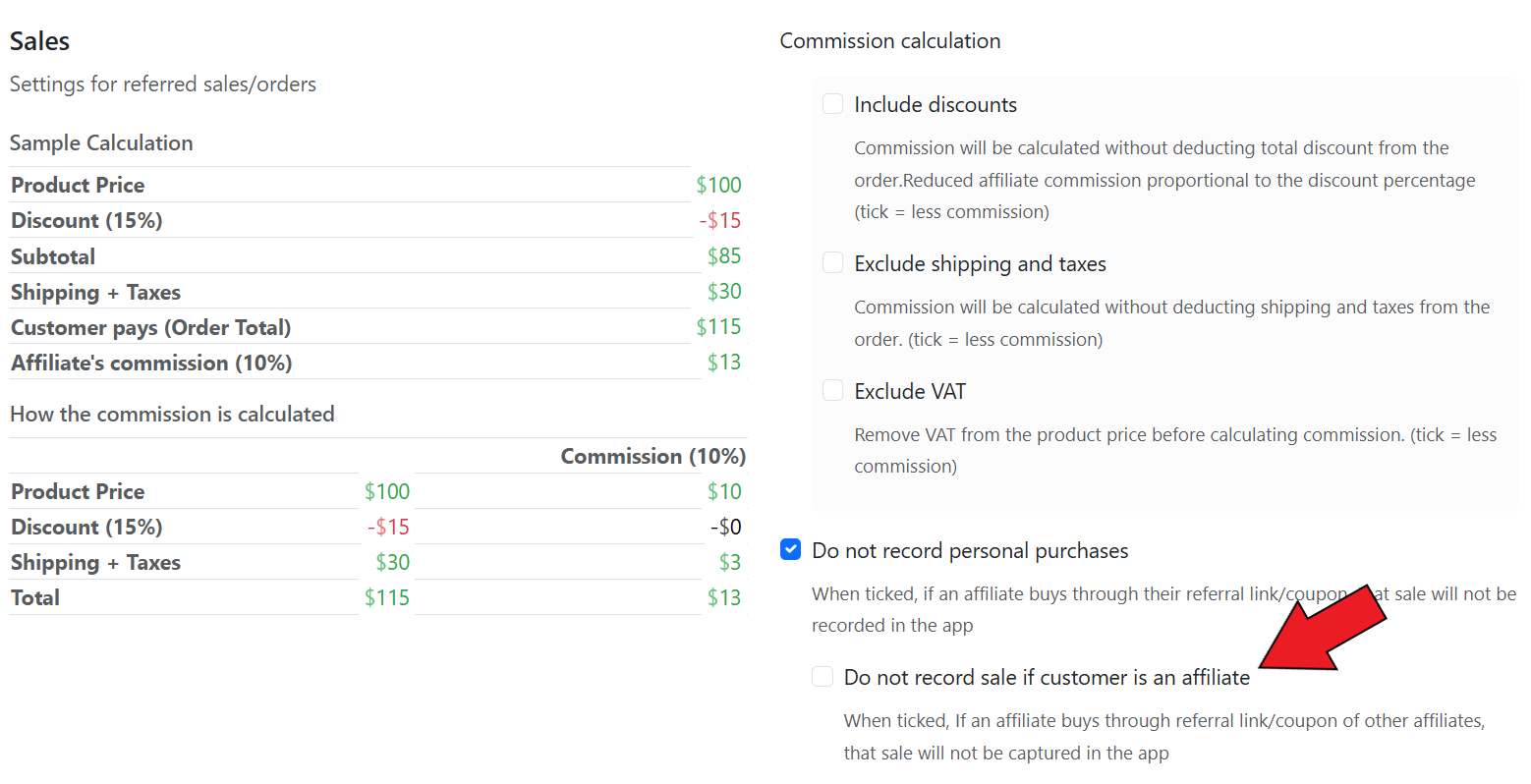
After this, you will also have the option to enable the "**Do not record sale if customer is an affiliate**" option.
{% hint style="info" %}
If enabled, it will prevent affiliates from earning commissions when another affiliate uses their referral link or coupon code to make a purchase in your store.
{% endhint %}
Enable the "Do not record sale if customer is an affiliate" option
{% embed url="" %}
Disable Commission on Personal Purchases
{% endembed %}