# Add Store Metadata

**GoAffPro** provides you with the option to add store metadata for custom programming.

To add store metadata, go to the **Extras** section in the **Settings** tab of the GoAffPro admin panel.

<figure><img src="https://1200686697-files.gitbook.io/~/files/v0/b/gitbook-x-prod.appspot.com/o/spaces%2F-LdPzLtyP46oY7cyXnkw%2Fuploads%2FCU5KBx6hzKDUN7GBpsGp%2Fimage.png?alt=media&#x26;token=d32de6c5-88cb-4fd3-b5bc-3da5435d58e4" alt=""><figcaption><p>Settings > Extras</p></figcaption></figure>

Here, go to the Store metadata section.

<figure><img src="https://1200686697-files.gitbook.io/~/files/v0/b/gitbook-x-prod.appspot.com/o/spaces%2F-LdPzLtyP46oY7cyXnkw%2Fuploads%2F9xoLMvZLuy9oLoa3uquO%2Fimage.png?alt=media&#x26;token=5a1ee2f1-4e7b-4673-94f2-84e7338d8222" alt=""><figcaption><p>Store metadata</p></figcaption></figure>

Now, click on **Add metadata**.

<figure><img src="https://1200686697-files.gitbook.io/~/files/v0/b/gitbook-x-prod.appspot.com/o/spaces%2F-LdPzLtyP46oY7cyXnkw%2Fuploads%2F2jm8TQs49Zsb47ABEDoD%2FScreenshot%202023-09-04%202126318.png?alt=media&#x26;token=ce655f97-c32e-4d89-89e7-099d16f4ba72" alt=""><figcaption><p>Click on Add metadata</p></figcaption></figure>

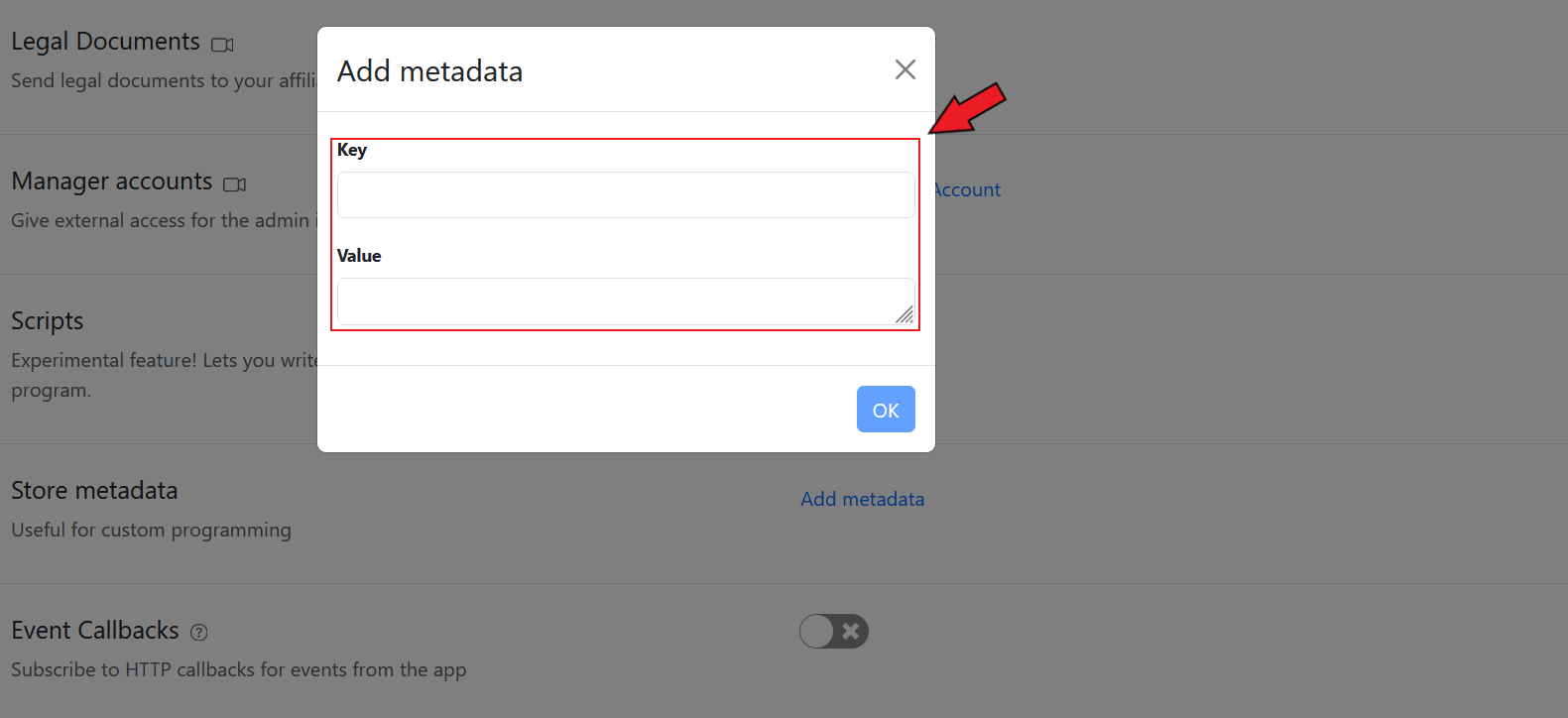
This will open up the Add metadata window.

<figure><img src="https://1200686697-files.gitbook.io/~/files/v0/b/gitbook-x-prod.appspot.com/o/spaces%2F-LdPzLtyP46oY7cyXnkw%2Fuploads%2FBYTcuO6qBRXHhBZjncRb%2Fimage.png?alt=media&#x26;token=5fe17555-3ada-4dbb-beb6-be2250408f5b" alt=""><figcaption><p>Add metadata</p></figcaption></figure>

Here, you can set the key and value.&#x20;

<figure><img src="https://1200686697-files.gitbook.io/~/files/v0/b/gitbook-x-prod.appspot.com/o/spaces%2F-LdPzLtyP46oY7cyXnkw%2Fuploads%2F2WuGTE71rAjE2rTq3GvY%2FScreenshot%202023-09-04%20212648.png?alt=media&#x26;token=7600c334-a3a5-4c8c-9262-0681f4630182" alt=""><figcaption></figcaption></figure>

{% embed url="<https://youtu.be/pyY8fjUlnAM?feature=shared>" %}
Add Store Metadata
{% endembed %}