> For the complete documentation index, see [llms.txt](https://docs.goaffpro.com/llms.txt). Markdown versions of documentation pages are available by appending `.md` to page URLs; this page is available as [Markdown](https://docs.goaffpro.com/how-tos/setup-post-checkout-popup.md).
# Setup Post Checkout Popup
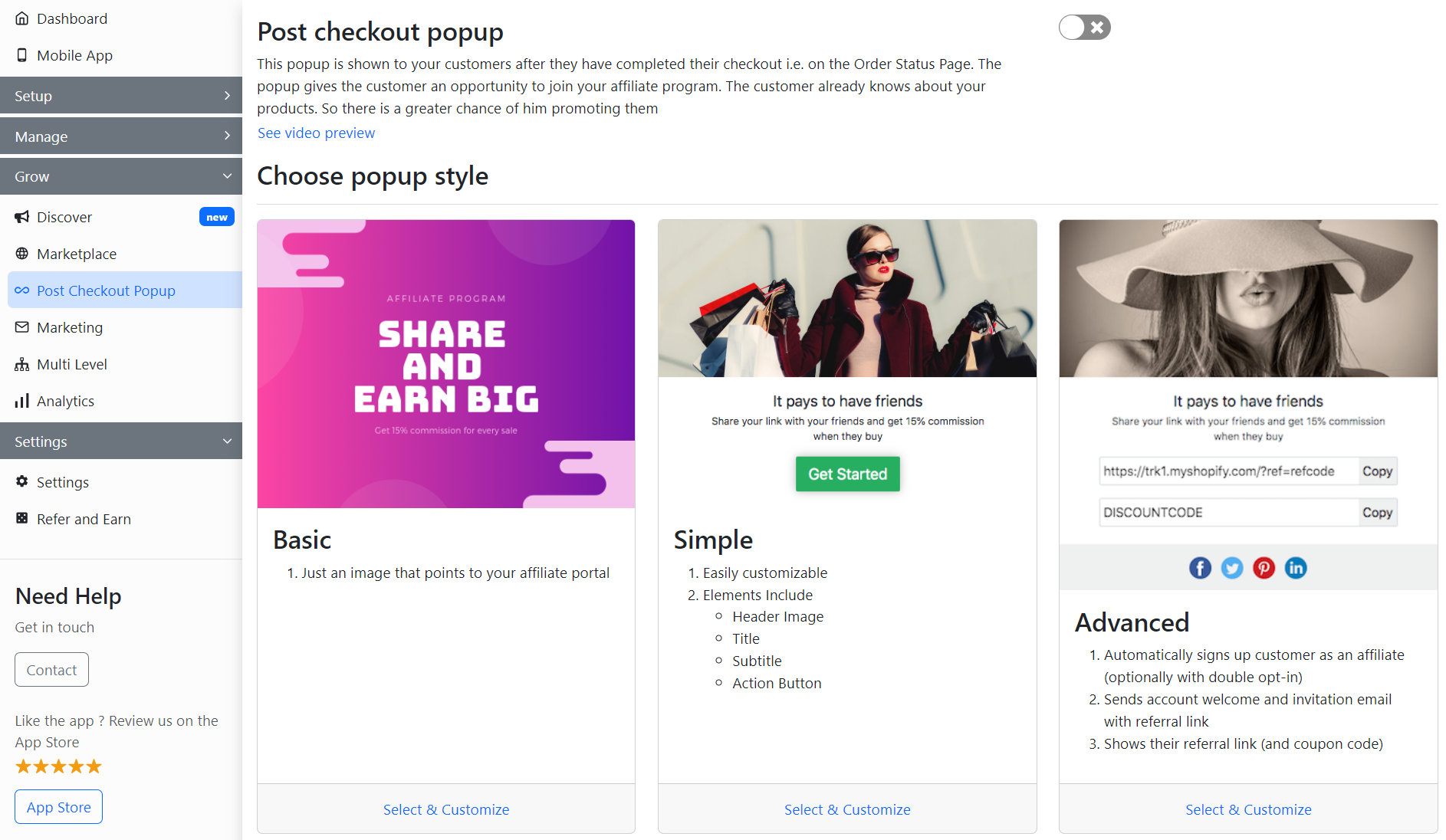
**Post Checkout Popup** feature offers you the option to set up a popup to be displayed to customers, after they checkout on the order status/confirmation page. This popup informs the customers of your affiliate program.
> The post checkout popup is a useful tool, that helps spread the word about your affiliate program. It displays a popup to customers on the order confirmation page (thank you page). This helps in recruiting more affiliates to your program.
Post Checkout Popup
GoAffPro lets you set up and customize the popup, to do that, enable the **Post Checkout Popup.**

After this, you will be given the option to choose the popup style you want to display to your customers.

#### The three types of popup styles that you can choose from are:
{% content-ref url="/pages/-LmQ9k8FOO7pFoPm7I6V" %}
[Setup Basic Popup](/how-tos/setup-post-checkout-popup/basic-popup.md)
{% endcontent-ref %}
{% content-ref url="/pages/-LmQ9jTnQx2g8NorOA7Z" %}
[Setup Simple Popup](/how-tos/setup-post-checkout-popup/simple-popup.md)
{% endcontent-ref %}
{% content-ref url="/pages/-LmQ9jnuhuJiCAz5hS8m" %}
[Setup Advanced Popup](/how-tos/setup-post-checkout-popup/advanced-popup.md)
{% endcontent-ref %}
{% embed url="" %}
Post Checkout Popup
{% endembed %}